Simple CSS Tutorial for Beginners
Learn the Basics of CSS and Key CSS Terms

CSS is the second language you learn during your full-stack web development journey or in your front-end development path. CSS is simply a language that makes your web skeleton (HTML page) attractive and stylish.
Is it mandatory? Not really, but if you want to make your website user-friendly and attractive, you need to use CSS to achieve that. So, let's see how we can use CSS and explore some CSS concepts.
What is CSS ?
CSS stands for Cascading Style Sheets, which were introduced 3 years after HTML. Before we understand CSS, we need to know the meaning of some jargon words:
Cascading: A top-to-bottom approach for applying styles. This means styles are applied in the same order they are written in the source file.
Style Sheets: A collection of rules that control the website's appearance, such as looks, fonts, etc. (This refers to the CSS file or section where CSS is mentioned).
User-Agent Style Sheets: These are the browser's default styles applied to every website if there is no CSS. For example, text is usually black, and the background is white.
Fun fact: Browsers decide which HTML tags are inline or block elements. This is not determined by CSS rules.

Types of CSS :
In here we will also cover how to use CSS and difference ways to applied CSS in a html file.
Inline CSS : in this method we define the style in tag attributes. we have to use
stylekeyword.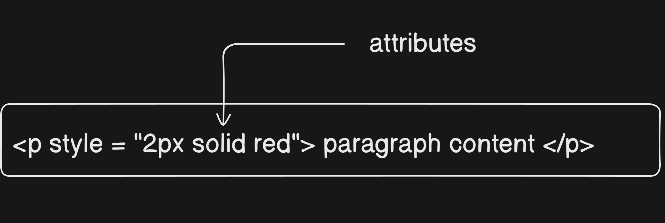
Internal CSS: This is used when we don't use an external CSS file. Instead, all the CSS code is included within the HTML file. we use
<style>tag and define all css codes inside head tag.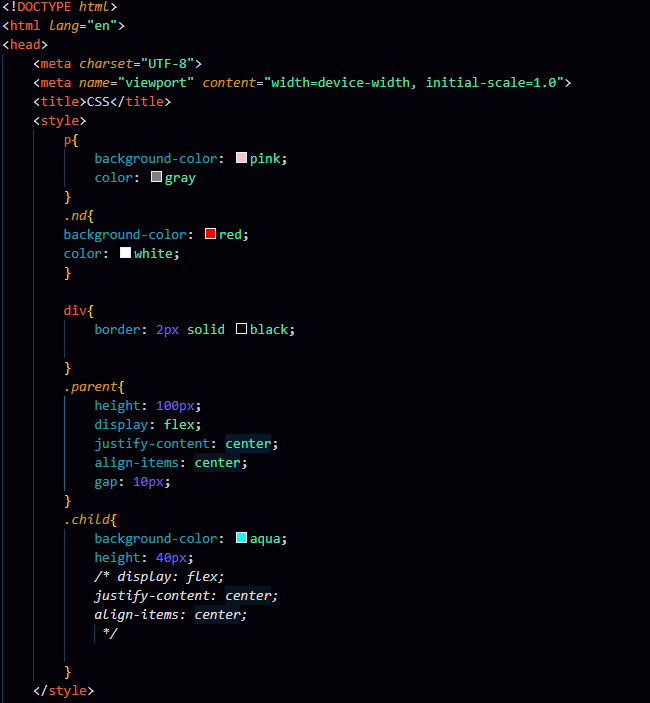
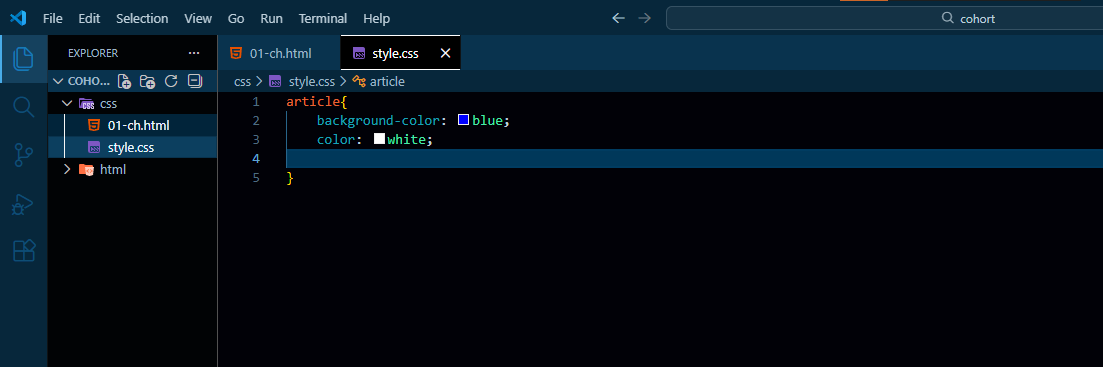
External CSS : when we define all CSS properties in another file instead of using html file and use
linktag for linking css and html file. its also define inside head tag.
That’s all for the today blog, in the upcoming blog we will see how browser decide which css property we have to applied to an element and which type of css get priority is that inline , internal or external ?
Good Bye :)